
ParlayPal
Sports parlay tracking product with automated bet-slip AI extraction powered by Cloudflare Workers AI.
ParlayPal
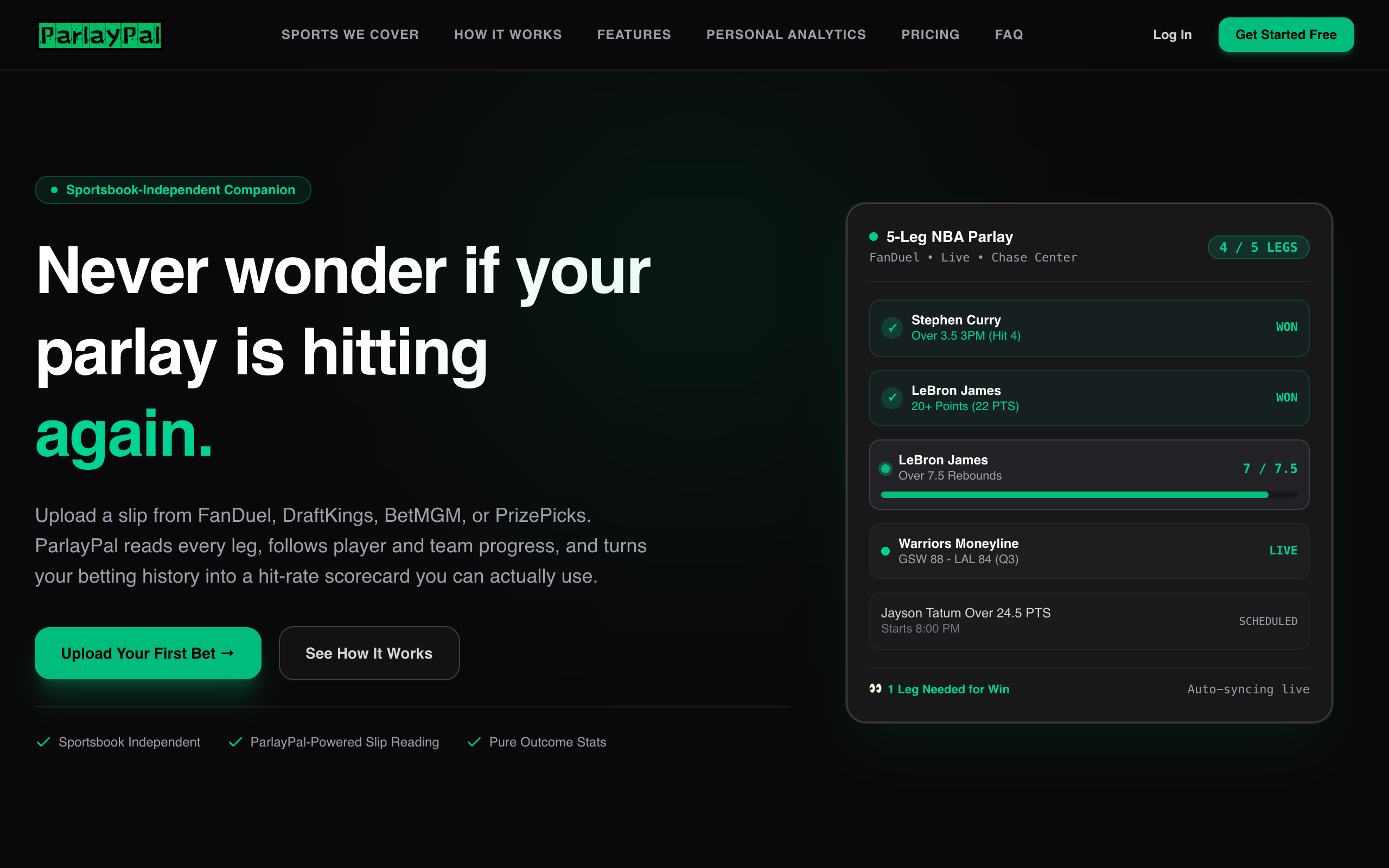
Sports tracking, ticket history, and community in one place
Follow sporting events, organize tracked tickets, and review how your activity settles over time across web and mobile.
1. Product Overview
ParlayPal is a sports tracking and community application with web, API, and Expo mobile workspaces. The platform brings together event data, ticket records, notifications, user billing, and community features. A shared event polling service consumes Sportradar data, while deterministic settlement logic updates tracked outcomes from the same event source.
The repository is designed for a Cloudflare edge deployment: the web application and Hono API use D1 for runtime data, private R2 objects for uploads, and Cloudflare Queues for asynchronous work.
2. System Architecture
Web (TanStack Start)         Mobile (Expo / React Native)
             └──────────────────┬──────────────────┘
                                │
                         Hono API Worker
                                │
           ┌────────────────────┼───────────────────┐
           ▼                    ▼                   ▼
      Cloudflare D1        Private R2          Queues + DLQ
       Drizzle ORM       verified uploads    async processing
                                │
                                ▼
                     Sportradar event polling
                       and ticket settlement
| Layer | Technologies |
|---|---|
| Web | React, TanStack Start, TanStack Router |
| Native | Expo / React Native |
| API | Hono on Cloudflare Workers |
| Database | Cloudflare D1 with Drizzle ORM and forward-only SQL migrations |
| Authentication | Better Auth |
| Billing | Stripe through Better Auth and RevenueCat entitlement webhooks |
| File storage | Private Cloudflare R2 objects with SHA-256 verification |
| Background work | Cloudflare Queues and dead-letter queues |
| Sports data | Sportradar polling and deterministic settlement |
| Workspace | Bun and Turborepo |
3. Product Capabilities
Sports tracking
- Follow event activity through shared sports-data polling.
- Record and review sports tickets in the web and mobile experiences.
- Settle tracked outcomes deterministically from the event data pipeline.
- Use analytics and operational tools to support event ingestion and ongoing service health.
Community and account experience
- Explore community surfaces and user profiles.
- Use notifications and account features across the web and native app.
- Opt in to browser push notifications from Dashboard → Settings.
- Keep subscriptions and entitlements synchronized through Better Auth, Stripe, and RevenueCat webhook paths.
Uploads and asynchronous work
- Store uploads as private R2 objects.
- Verify upload integrity with SHA-256 checks.
- Process queued work outside the request path and route failed messages to dead-letter queues.
Billing
The subscription catalog is managed from the administration area. Stripe product and price synchronization uses stable lookup keys so product pricing does not need to be embedded in the client. RevenueCat webhook processing is associated with the Better Auth user ID; anonymous RevenueCat identifiers are not trusted for server entitlements.
4. Monorepo Structure
ppal/
├── apps/
│   ├── web/                 # Web app, dashboard, community, and sports pages
│   ├── server/              # Hono API, event services, and Durable Objects
│   └── native/              # Expo / React Native app
├── packages/
│   ├── config/              # Shared TypeScript configuration
│   ├── api/                 # Shared API contracts
│   ├── auth/                # Better Auth setup
│   ├── contracts/           # Shared domain contracts
│   ├── db/                  # D1 schema, migrations, and Better Auth credential-column encryption
│   ├── domain/              # Shared tracking domain logic
│   ├── env/                 # Runtime environment validation
│   ├── infra/               # Alchemy Cloudflare resources
│   └── ui/                  # Shared UI components and styles
└── evals/                   # Extraction evaluation utilities
5. Local Development
Prerequisites
- Bun 1.3.10
- Cloudflare / Alchemy credentials when deploying or working against remote services
- Xcode or Android Studio for local native builds
Install the workspace and start web plus API development:
bun install
bun run dev
The web app is served at http://127.0.0.1:3001 and the local API at http://127.0.0.1:3000. Keeping both on 127.0.0.1 preserves the Better Auth same-site cookie boundary. To start native development:
bun run dev:native
Run local D1 migrations and seed demo data with:
bun run db:migrate:local
bun run demo:seed
Migrations are forward-only SQL under packages/db/src/migrations/<timestamp>_<name>/migration.sql. Add a new migration directory for schema changes; do not run drizzle-kit generate against the Alchemy recursive migration layout.
6. Useful Commands
| Command | Purpose |
|---|---|
bun run dev |
Start the web app and API |
bun run dev:web / bun run dev:server |
Start one web or server workspace |
bun run dev:native |
Start the Expo app |
bun run build |
Build configured workspaces |
bun run check-types |
Type-check workspaces |
bun run check |
Run Ultracite checks |
bun test packages/domain apps/server/tests |
Run the domain and server test suites |
bun run db:migrate:local |
Apply local D1 migrations |
bun run demo:seed |
Seed local demo data |
bun run deploy |
Deploy the selected Alchemy stage |
bun run destroy |
Destroy the selected Alchemy stage |
7. Deployment & Configuration
Alchemy provisions the web app and Hono Worker, D1, R2, Queues, Analytics Engine, and related Cloudflare resources. Set up local Cloudflare authentication with cd packages/infra && bun alchemy profile edit --add Cloudflare; Alchemy stores the credential in its local profile. For local Alchemy deployment, copy packages/infra/.env.example to packages/infra/.env and never commit it.
GitHub Actions keeps preview and production secrets in separate GitHub Environments. Production deploys require the configured workflow dispatch and environment approval. Production uses myparlaypal.com for the TanStack app and api.myparlaypal.com for the Hono Worker; pull request previews use pr-<number>.myparlaypal.com and api-pr-<number>.myparlaypal.com.
Scope the Cloudflare deployment token to the target account and the myparlaypal.com zone. Grant only the edit/read permissions needed for Workers Scripts, D1, R2, Queues, Analytics Engine, and Workers Routes. The workflow pins the zone ID (f982a1aacdf38eb2657092788c32d113); CLOUDFLARE_ZONE_ID can override the repository variable if the zone changes. An R2 S3 access key is not a Cloudflare API token.
Browser push is opt-in from Dashboard → Settings. Add WEB_PUSH_VAPID_PRIVATE_KEY as a secret and WEB_PUSH_VAPID_PUBLIC_KEY as an environment variable in both the preview and production environments. Generate the key pair locally with:
bun -e 'import { generateVapidKeys } from "@mmmike/web-push/vapid"; console.log(await generateVapidKeys())'
The public key is returned to authenticated browsers; the private key stays server-side. Configure the production provider webhooks after deployment:
- Stripe:
https://api.myparlaypal.com/api/auth/stripe/webhook - RevenueCat:
https://api.myparlaypal.com/api/v1/webhooks/revenuecat
Use the Better Auth user ID as RevenueCat's App User ID; anonymous IDs are not trusted for server entitlements. The Stripe catalog is managed from Dashboard → Admin → Stripe catalog. Keep the Stripe API secret and webhook signing secret in the production Worker environment.
8. Security & Quality
The API uses secure, HTTP-only, SameSite cookies and validates cross-site unsafe requests. Uploads remain private and are checked before processing. Keep database, billing, webhook, and provider credentials in environment stores.
Run the repository checks before proposing changes:
bun run check
bun run check-types
bun test packages/domain apps/server/tests
bun run build
9. UI Customization and Git Hooks
Web apps share shadcn/ui primitives through packages/ui. Edit tokens in packages/ui/src/styles/globals.css, shared primitives in packages/ui/src/components/, and aliases in packages/ui/components.json and apps/web/components.json. Add shared components from the repository root with npx shadcn@latest add accordion dialog popover sheet table -c packages/ui. Initialize Git hooks with bun run prepare.