
CastleCare
Coordinated home-services platform with an on-demand gig dispatch model, driver app, and Stripe preorders.
CallCastleCare
Everyday home services, scheduled around real life
A customer booking and operations platform for lawn care, laundry, and window washing, with a dedicated mobile workspace for drivers.
1. Product Overview
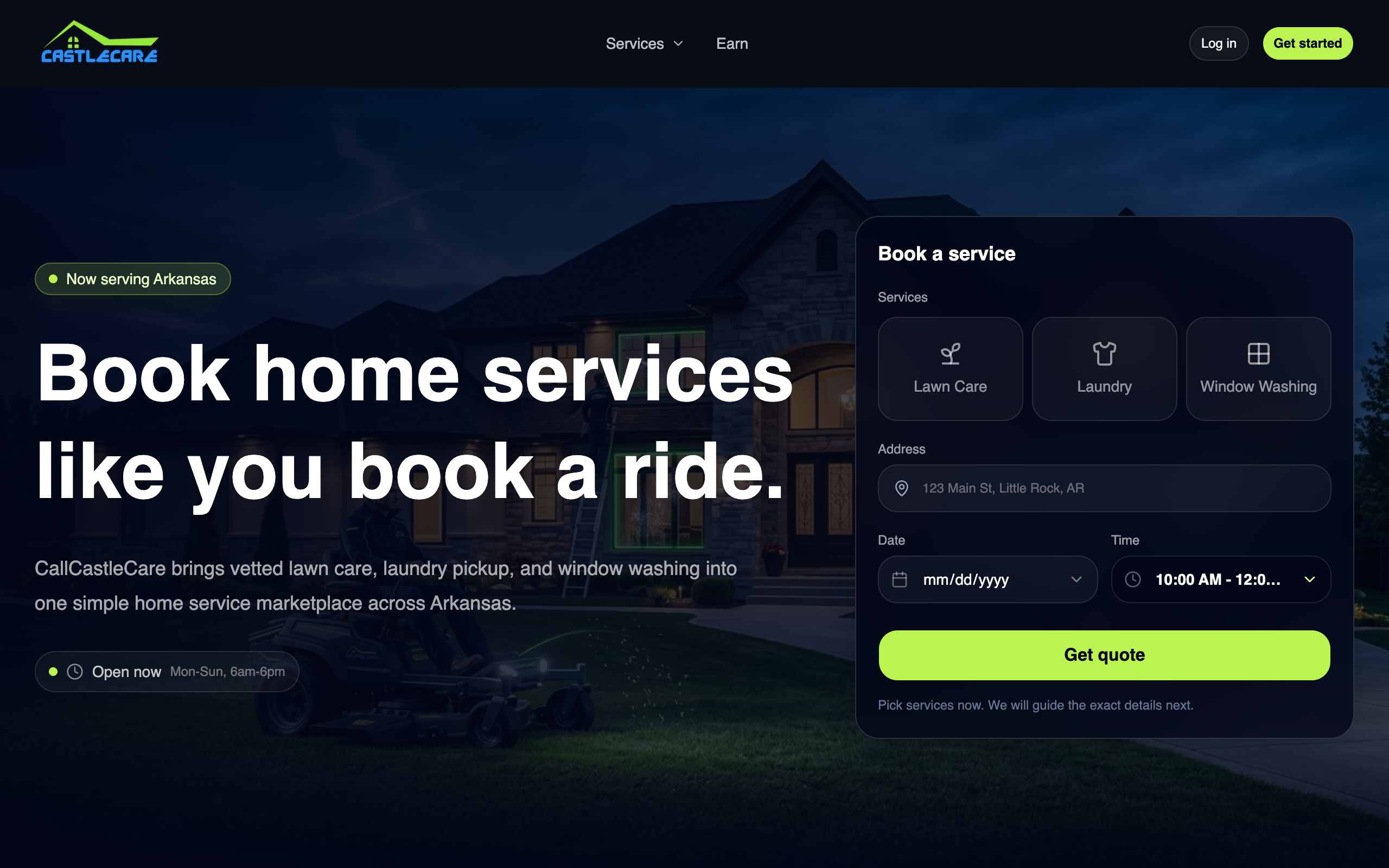
CallCastleCare is a home-services platform focused on three active services: lawn care, laundry, and window washing. Customers can explore services, request a booking, check out, and follow post-booking status. Admins coordinate orders, staff, routes, service offerings, notifications, and support from a web dashboard.
The current product keeps the customer experience on the web across desktop and mobile browsers. The separate Expo app in apps/driver is the dedicated native workspace for drivers and field staff.
2. System Architecture & Technology
| Layer | Technologies |
|---|---|
| Web | React 19, TanStack Start, TanStack Router, TanStack Query, TanStack Form |
| API | Hono in apps/server, with route modules for orders, checkout, dispatch, locations, and notifications |
| Database | Drizzle ORM and the repository's relational database package |
| Authentication | Better Auth |
| UI | Tailwind CSS v4 and shared shadcn-style UI primitives |
| Driver app | Expo / React Native |
| Workspace | Bun and Turborepo |
The web application and server API are separate workspaces. Shared packages hold authentication, database, email, environment, and UI concerns so booking and operations use the same application contracts.
3. Product Workflows
Customers
- Discover current services and read service-area information.
- Submit a service booking with customer and location details.
- Complete checkout and receive a booking confirmation.
- Return to a tracking page using the booking's tracking identifier.
- Access account, help, FAQ, policies, and customer support pages.
Admin operations
- Review incoming orders and inspect order details.
- Maintain the service catalog and service areas.
- Assign and manage staff and dispatch routes.
- Configure notifications and operational settings.
- Handle customer support and order follow-up.
Drivers and field staff
apps/driver is a dedicated Expo application for staff workflows. The project keeps driver operations separate from customer booking so each app can use navigation and screens suited to its role.
4. Workspace Structure
callcastlecare/
├── apps/
│   ├── web/                 # Public site, booking, checkout, and admin dashboard
│   ├── server/              # Hono API, webhooks, queue handlers, and workflows
│   └── driver/              # Expo driver and field-staff app
├── packages/
│   ├── api/                 # Shared API contracts and utilities
│   ├── auth/                # Authentication configuration
│   ├── db/                  # Relational schema and migrations
│   ├── email/               # Transactional email templates and delivery
│   ├── env/                 # Environment validation
│   ├── infra/               # Deployment infrastructure
│   └── ui/                  # Shared UI primitives
└── package.json
5. Local Development
Prerequisites
- Bun 1.3.14
- A local development environment for the configured database
- Xcode or Android Studio for local driver-app builds
Install dependencies and start the workspaces:
bun install
bun run dev
Run a specific app when needed:
bun run dev:web
bun run dev:server
bun run dev:driver
Use the repository's environment example files to configure local services. Keep local credentials and provider secrets out of commits.
Database
The database workspace provides schema, migration, and studio commands. Choose the operation that matches your local database setup:
bun run db:generate
bun run db:migrate
bun run db:studio
6. Useful Commands
| Command | Purpose |
|---|---|
bun run dev |
Start configured development workspaces |
bun run dev:web |
Start the customer/admin web app |
bun run dev:server |
Start the API |
bun run dev:driver |
Start the Expo driver app |
bun run build |
Build configured workspaces |
bun run check-types |
Check TypeScript types |
bun run check |
Run Ultracite lint and format checks |
bun run test |
Run configured tests |
bun run db:generate |
Generate database artifacts |
bun run db:migrate |
Apply database migrations |
bun run infra:plan |
Preview infrastructure changes |
bun run infra:deploy |
Deploy the configured infrastructure |
7. Deployment
The repository supports a web service and an API service. Use the linked project configuration and the deployment scripts in the repository for preview and production operations. Environment variables are managed by the deployment provider; local .env files are not uploaded automatically.
The active scope is the service catalog, booking and checkout, customer status, admin operations, and the driver app. The previous Homes configurator and broader home-services marketplace are outside the current product scope.
8. Quality Checks
bun run check
bun run check-types
bun run test
bun run build